
families · support workers · teachers
A visual timer or a First/Then board: which one, and how to use them well
Two free tools for showing someone what's coming next — when each one fits, how to introduce them, and the mistakes worth avoiding. For families, support workers, teachers and practitioners.
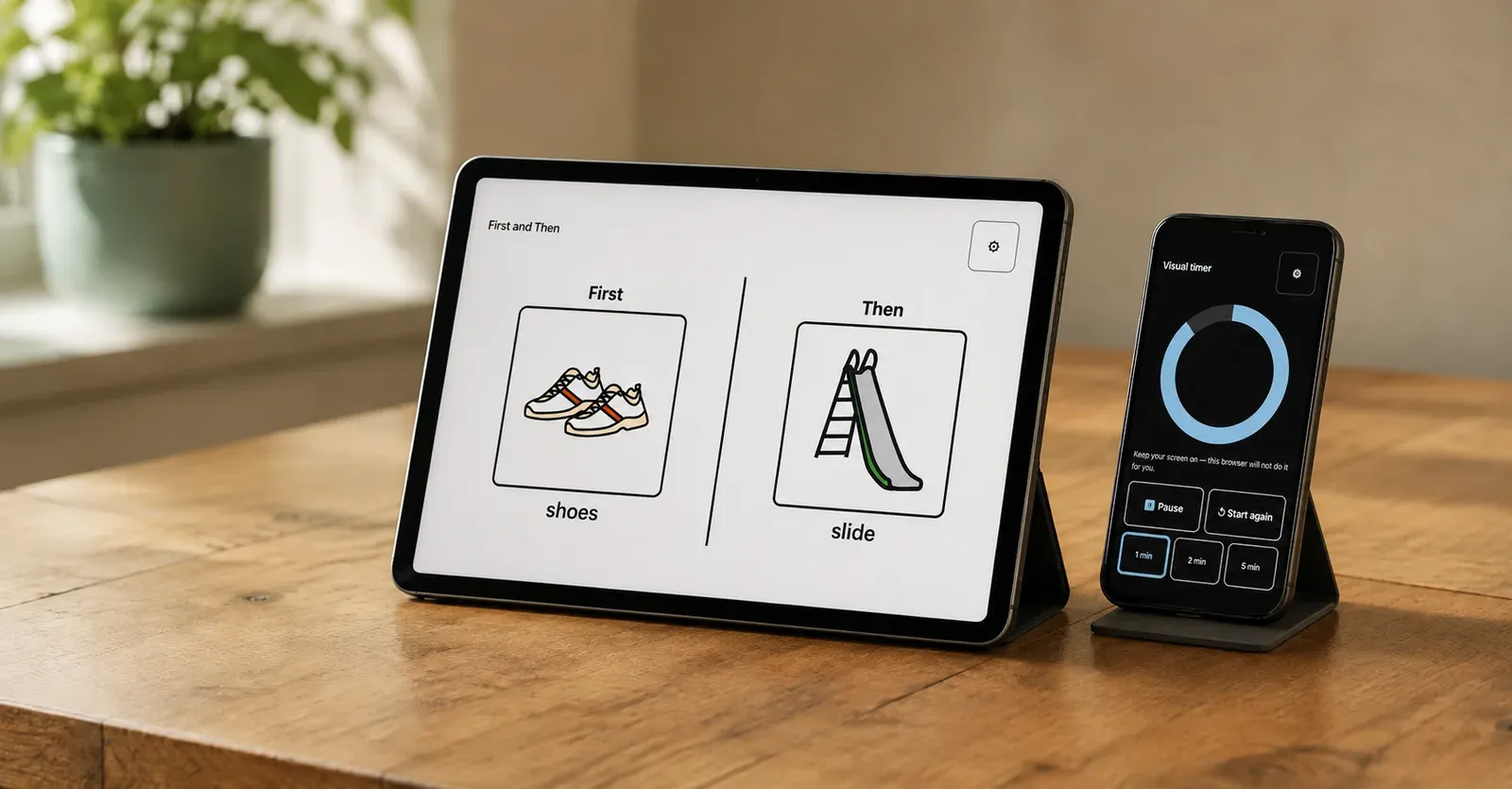
There are two free tools on this site. Neither needs an account, neither costs anything, and nothing you put into them leaves your device.
- A visual timer — a shape that empties as the time runs down. Nothing to set up: open it, pick a length, start it.
- A First/Then board — two big cards showing what’s happening now and what comes after. About a minute to make.
A picture schedule builder is coming, for routines with several steps. This piece is about the two that exist today.
Which one fits the moment?
| The situation | Probably reach for |
|---|---|
| Something good has to end soon | The timer |
| Waiting for something that hasn’t started yet | The timer |
| “How long until we get there?” | The timer |
| One hard or boring thing stands between them and something else | First/Then |
| They keep asking what’s happening next | First/Then |
| They need to see the shape of a whole routine | The schedule builder, when it lands |
You can use both at once, and often that’s the best version: the First/Then board shows what’s coming, and the timer shows how long the first part lasts.
The timer
The reason to use a visual timer rather than a clock or a phone countdown is that it shows time as a quantity you can see, not a number you have to interpret. Watching a shape get smaller doesn’t require knowing what “three minutes” feels like.
A few things worth knowing about how this one works:
- Presets are the interface. 1, 2, 5 or 10 minutes, or set your own. No typing needed to get going.
- Four styles. A ring that empties, a bar that empties, or blocks and dots that disappear one at a time. The blocks and dots are countable, which suits some people far better than a smooth shape — you can watch four become three.
- The numbers are optional and off by default. Turn them on if they help and leave them off if they don’t.
- The end is a signal, not an event. A gentle chime (off unless you turn it on), an optional vibration, a colour change, and a large “finished” screen. There’s no alarm and nothing flashes. Most importantly: the timer never ends anything. A person does. It has no power to stop an activity, and it isn’t meant to.
- It can carry its own “Then”. You can add a few words and a picture of what’s after — so it reads “2 minutes, then bath” rather than just “2 minutes”. If you’ve already made a First/Then board, one button copies the “then” from it.
Using it well
Practise on boring things first. This is the single most useful thing in this article. A timer that only ever appears when something good is ending becomes the thing that starts the distress. Use it for waiting for the microwave, for whose turn it is, for how long until the bus, for how long until the worker arrives. By the time you need it for something hard, it should already be familiar and neutral.
Worth knowing that this isn’t just a tip: the standard manual on activity schedules treats using a timer as a skill to be taught in its own right, for activities that have no natural ending — music, exercise, a walk — and as ordinary time management rather than a warning device.
Say what’s after. “Five minutes” tells someone something is ending. “Five minutes, then afternoon tea” tells them what happens next, which is usually the part they actually want to know.
Keep it honest. If the timer finishes and nothing happens for another twenty minutes, it stops carrying information. Then it’s just a shape.
If watching the time run out upsets them, stop. Some people find a depleting shape genuinely stressful — it’s a countdown to a loss. That’s a real answer, not a failure, and it’s worth trying the block or dot styles before giving up on it entirely.
The First/Then board
First/Then is an old, simple idea: this thing, then that thing. Two cards, side by side, each with a symbol, a photo you take yourself, or just words.
Each card can also have its own timer, if that helps — off by default.
It suits the moment where the difficulty isn’t the routine, it’s the one thing standing in the way. First shoes, then park. First the worksheet, then the computer. First the shopping, then the café. First this bit of the shift, then the thing you’ve been waiting for.
The one thing that matters most
Whatever is in “Then” has to be something you will actually give — straight away, and even if the first part went badly.
If they do the first thing, the second thing happens. That’s the whole arrangement, and it only works for as long as it’s true. A board that sometimes pays out teaches the opposite of what you wanted it to.
Which leads to the part I’d ask everyone to read before making one:
Never put these in “Then”: food, drink, going to the toilet, comfort or a cuddle, or their communication board or device.
Those aren’t things to be handed over in exchange for something. They’re things a person is entitled to, all the time. Withholding them to get cooperation is a serious thing — in NDIS and school settings it can be a restrictive practice — and it’s a conversation to have with a practitioner, not something to build into a board.
The same goes in the other direction: a schedule or a board is never something to take away as a consequence. Someone who can’t see what’s happening next can’t be prepared for it, and that’s true on their worst day as much as their best one.
Using it well
Two things, not five. If there are five, it isn’t a First/Then board — it’s a schedule, and it needs a different shape.
Pick a “then” they actually want. Not what you think they should want, and not something so big you’ll regret offering it.
Introduce it on an easy pair first. First shoes, then park is a good first board precisely because it was going to happen anyway.
Using them across a team
Support workers, teachers and learning support staff are some of the heaviest users of these tools, and often more fluent with them than families are.
If the same person sees the same board, with the same pictures and the same words, at home and at school and at respite, there’s much less to relearn. That consistency is one of the genuinely valuable things you can do here, and it costs nothing.
It matters most where the people change but the person doesn’t. A rostered team turning over week to week is the classic case: everyone means well, everyone does the transition slightly differently, and the person supported absorbs all of the variation. A board that lives on the wall — or in the communication book, or printed in the folder — is a way for six workers to do the same thing without having to be told six times.
One suggestion about direction. If a board is going into a classroom, share it with the staff rather than sending it in. The people in the room have to be able to change it — they know the class routine, the staffing and what’s already been tried, and a board that can’t be adjusted stops being used within a week.
Paper still matters
Everything here prints. You can print blank cards and write or draw on them — no phone or tablet needed at all — or print a board you’ve made.
That’s not a fallback, it’s often the better version. A laminated strip on the wall is available when the phone is flat, when the phone went home with the other parent or the last shift, and when the person the board is for shouldn’t have to ask someone to unlock a device to find out what’s happening. Treat the printed copy as the real one.
For a service that also means the support doesn’t leave when the worker does.
What these tools don’t do
They show someone what’s coming. That’s the whole claim, and it’s deliberately where it is.
The way to think about it is as a targeting question rather than a does-it-work one. These tools address uncertainty — not knowing when the change is coming, or what’s on the other side of it. Where that’s the actual difficulty, they help, and the research supports them for exactly that. Where the difficulty is something else — losing a good activity, being asked to start a hard one, or getting upset having reliably worked in the past — a clearer picture doesn’t touch it, and the studies that tested it found precisely that.
So if a transition is still going badly even though the person knows exactly what’s coming and when, the timer isn’t the missing piece and neither is a better picture. The schedule isn’t badly made; it’s pointed at the wrong problem. That’s the point at which it’s worth working out what’s actually keeping the difficulty going — which is what behaviour support is for, and what why transitions are so hard goes into.
And expect a few false starts. A board that works for a month and then stops usually means something changed, not that the idea was wrong.
Your data stays on your device
Nothing you build is sent anywhere. There’s no account, no login, and no upload — the boards, the photos and the settings live in your own browser’s storage on that device.
That’s a deliberate design decision, and it has one practical consequence worth knowing: clearing your browser data, or using a private window, will remove them. Which is the other reason to print.
Have a go: open the timer or make a First/Then board. If you’re not sure whether these are the right thing to be trying, get in touch — that’s worth a conversation.